Before the match
Schedules, maps, chat, RSVPs, and club communication matter most.
Plan the schedule, choose your scorer and help family follow from home. Start with the 2027 match-day checklist, then compare tools for the jobs your team needs.
2027 season prep
Know where to go, who is keeping score, and how everyone else will follow. Use this checklist before your first tournament, then repeat the match-day checks each weekend.
Record each confirmed point promptly. Compare the score with the court scoreboard at natural pauses and resolve discrepancies before they grow. If you miss a rally, ask for the confirmed score instead of guessing. Keep the scorer’s screen focused on the match; use another adult for messages or camera work when possible.
Confirm the final result before ending the match. Tell supporters that play has finished and check where the next court or start-time update will appear. CourtsideView FanView links expire 15 minutes after the game concludes, so treat them as live match links rather than permanent archives.
You can begin local Scorekeeper scoring without an account. Other features, including FanView viewing and broadcasting, require a registered account. Supporters can use a browser without installing the app. Live sharing needs internet; video needs someone broadcasting.
This checklist helps plan a family workflow. Your event determines its official scoring system and required scorer training.
Parents usually need two layers: logistics before the match and score/context during the match.
| App | Use case | Why it belongs | Watch out for |
|---|---|---|---|
| CourtsideView | Parents who want the live volleyball story | Fast Scorekeeper, Courtside mode, FanView links, Big Mode scoreboard, rosters, rotations, and player stats in one volleyball-first app. | Someone still needs to score or publish the FanView link. |
| GameChanger | When the team already lives in GameChanger | Schedules, communication, streaming, and volleyball scoring in a familiar youth sports app. | Confirm account and viewing requirements before sharing with family. |
| TeamSnap | Schedules, chat, and parent logistics | Strong parent experience around team communication, schedules, live streaming, highlights, and drills. | Not primarily a volleyball scorekeeping app. |
| SportsEngine | Club-connected parent accounts | Follow your club’s account and app instructions; services were not reverified here. | Depends on whether the club uses SportsEngine. |
| VolleyStation | When the tournament uses VS Score | Useful for parents when the event publishes scores and data through that tournament system. | Not usually the parent-chosen app. |
Published by CourtsideView, one of the products compared. This is a vendor-authored editorial guide, not an independent test or a ranked benchmark. CourtsideView is not affiliated with, sponsored by, or endorsed by GameChanger, SoloStats, VolleyWrite, VolleyStation, iStatVball, TeamSnap, SportsEngine, LeagueApps, Advanced Event Systems, Stat Together, or their owners. Third-party names are used only for fair, informational comparison. Product features, availability, and pricing can change, so check each vendor before making a buying decision.
The parent problem is not technology. It is uncertainty: court changes, schedule shifts, hidden scoreboards, missed livestreams, and the group chat asking what happened after every point.
A strong parent app answers the questions people actually ask during a volleyball weekend: Where are we playing? What is the score? Who is serving? How did my player do? Can family follow from home?
Schedules, maps, chat, RSVPs, and club communication matter most.
Live score, set context, FanView, and big scoreboard visibility matter most.
Player stats, results, and simple recap context matter most.
Selected official product descriptions reviewed October 21, 2026. This is a desk review, not hands-on testing of every app. Source status appears below; an unavailable page is not evidence that a feature is absent. Prices, subscription entitlements, and device compatibility have not been fully verified; confirm them with each vendor before choosing.
A practical walkthrough
A FanView link lets family follow in a browser without installing CourtsideView. Viewers need a registered account and internet. Live scores and optional live video are different parts of the experience.
The scorer opens FANVIEW from the active game and shares that game’s link. Confirm both team names and the current set before sending it to supporters.
The family viewer opens the shared link in a modern browser and completes the account step if prompted. Return to the shared match and check the team names so everyone follows the intended game.
Ask the scorer to confirm the latest score at a pause. The viewer should see the corresponding score and match activity. Video appears only when someone broadcasts; a score link does not guarantee a live camera.
The link stays the same for that game and expires 15 minutes after it concludes. For the next game, ask its scorer for its link. If a current game does not load, check your connection and the link with the scorer, or contact support.
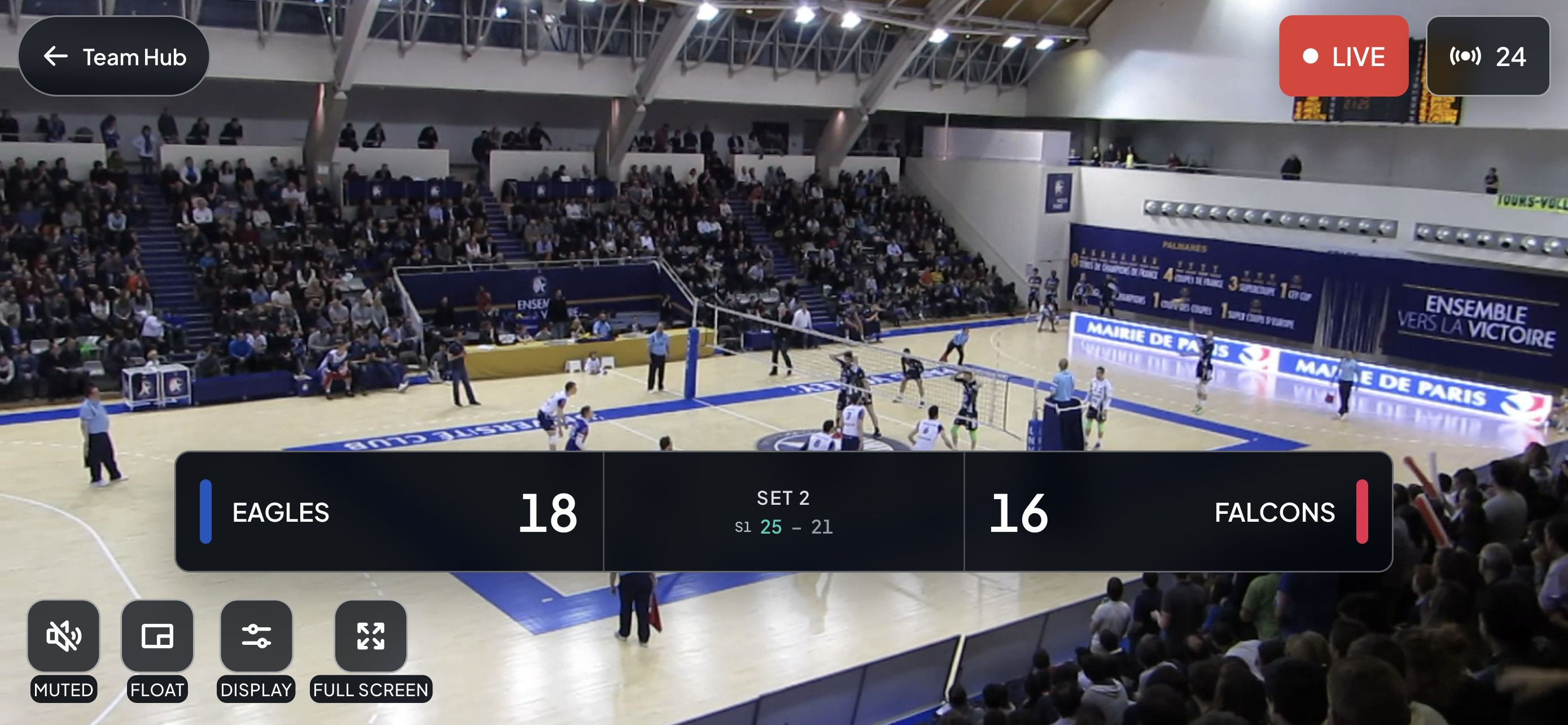
Have one adult open the link on another device. Confirm the account step, team names and score. Tell family whether you plan to share scores only or also broadcast video.
See the scorer’s side of the workflowWritten by CourtsideView · Updated October 26, 2026. Existing app imagery illustrates the controls and roles described; screen appearance can vary by version.
Consider CourtsideView when parents need live match scoring, a visible scoreboard, and FanView sharing. TeamSnap, SportsEngine, AES, and GameChanger can be useful depending on what the team or tournament uses for schedules and communication.
Yes. FanView lets family follow live scores and match activity in a browser without installing CourtsideView. Viewing and broadcasting require registered accounts. Live sharing needs internet, and video needs someone broadcasting.
Use CourtsideView Scorekeeper. It is fast enough for simple point-by-point scoring, but you are not boxed into a score-only tool if your team later wants rosters, Courtside mode, player stats, FanView sharing.
Ask the scorekeeper for the FanView link and open it in a browser with an internet connection. Someone at the match must keep the score current. Live scores do not guarantee live video; video depends on a broadcaster going live.
Use CourtsideView for live scoring, player stats, rotations, big scoreboard mode, and FanView sharing built around the family volleyball weekend.